Apple Pay
Learn how to integrate Apple Pay, including prerequisites, domain validation, and API calls.
In this guide, you will learn how to directly integrate Apple Pay with SumUp, so that you can retain your own UI/UX flow. Please note that you can also offer Apple Pay through our Payment Widget (see Payment Widget documentation).
Prerequisites
Section titled “Prerequisites”- You have a SumUp merchant account and have already filled in your account details(Opens in a new tab).
- Get familiar with Apple Pay on the Web guide(Opens in a new tab).
- Offering Apple Pay requires registering with Apple on all web domains that will expose an Apple Pay button (includes TLD and subdomains). This is a requirement for production AND test environments.
- If you want to test payments without involving real funds, create a sandbox merchant account.
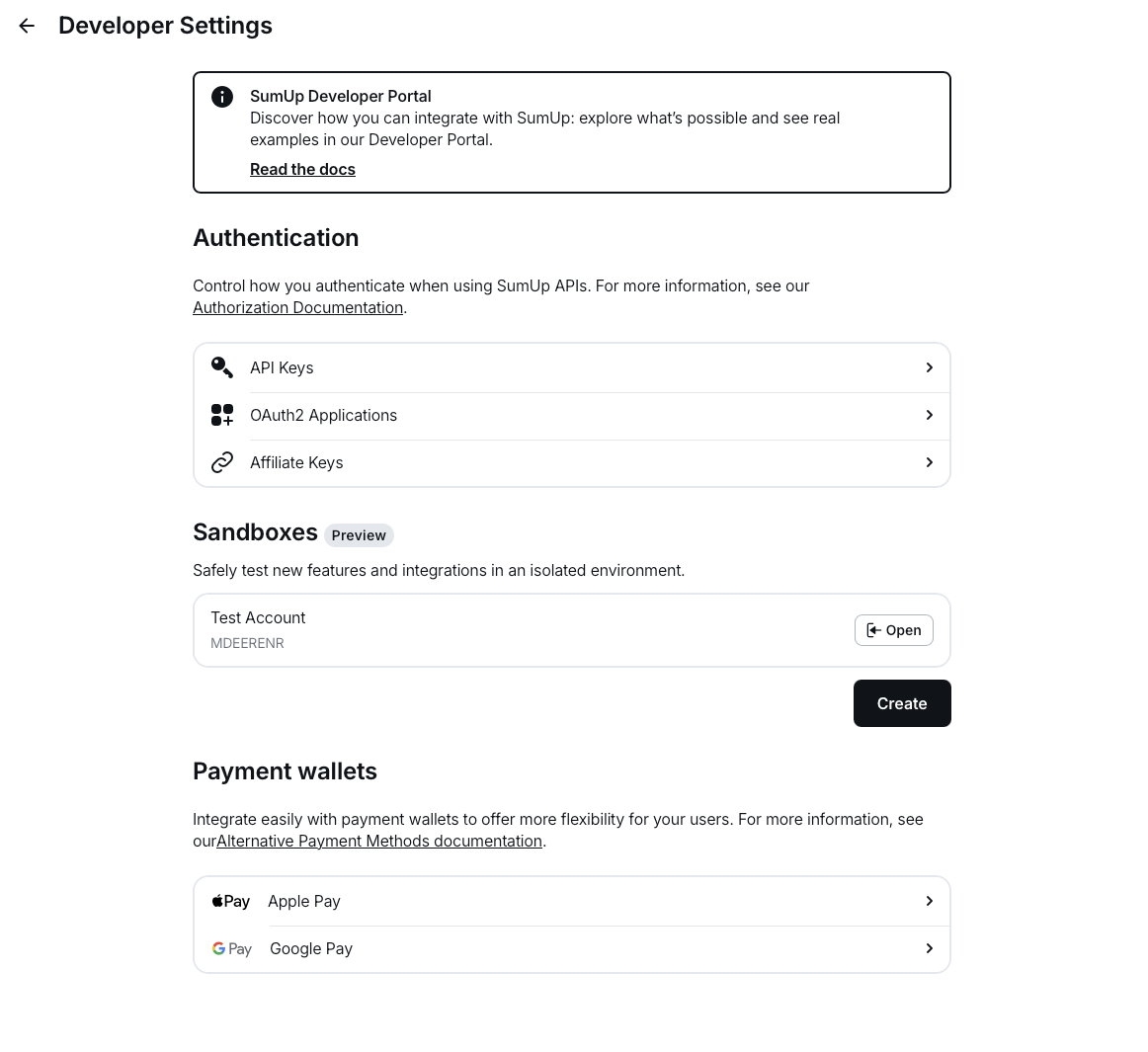
- Complete the domain onboarding setup steps described in your Dashboard under Settings > For developers > Payment wallets.
Accepting Apple Pay Payments with SumUp
Section titled “Accepting Apple Pay Payments with SumUp”To begin your implementation, follow these steps:
const applePaymentRequest = { currencyCode: "EUR", countryCode: "DE", merchantCapabilities: ["supports3DS"], supportedNetworks: ["masterCard", "visa"], total: { label: "Demo", amount: "0.00", type: "final", },};- Initiate an Apple Pay session(Opens in a new tab) and call the begin method(Opens in a new tab)
- Listen for the
onvalidatemerchantcallback and collect the validation URL from the event. Create the following payload and pass the validation URL you received from Apple as thetargetvalue:
{ "target": "https://apple-pay-gateway-cert.apple.com/paymentservices/startSession", "context": "your_domain_name"}and initiate a merchant session by calling
PUT https://api.sumup.com/v0.1/checkouts/${checkoutId}/apple-pay-session-
Use the response from the previous step to complete merchant validation with the
completeMerchantValidation(Opens in a new tab) method. -
Submitting the payment sheet triggers the
onpaymentauthorizedcallback. At that point, process the checkout. The process-checkout request body needs to include apayment_typeofapple_payand anapple_payobject containing the Apple Pay payment token returned by the callback.
{ "payment_type": "apple_pay", "id": "9be2da07-a7bd-4877-bc0a-e16cd909a876", "amount": 12, "currency": "EUR", "apple_pay": { "token": { "paymentData": { "data": "si2xuT2ArQo689SfE-long-token", "signature": "MIAGCSqGSIb3DQEHA-long-signature", "header": { "publicKeyHash": "PWfjDi3TSwgZ20TY/A7f3V6J/1rhHyRDCspbeljM0io=", "ephemeralPublicKey": "MFkwEwYHKoZIzj0CAQYIKoZIzj0DAQcDQgAEaBtz7UN2MNV0qInJVEEhXy10PU0KfO6KxFjXm93oKWL6lCsxZZGDl/EKioUHVSlKgpsKGin0xvgldfxeJVgy0g==", "transactionId": "62e0568bc9258e9d0e059d745650fc8211d05ef7a7a1589a6411bf9b12cdfd04" }, "version": "EC_v1" }, "paymentMethod": { "displayName": "MasterCard 8837", "network": "MasterCard", "type": "debit" }, "transactionIdentifier": "62E0568BC9258E9D0E059D745650FC8211D05EF7A7A1589A6411BF9B12CDFD04" } }}